Transmission to SDI
From the issued invoice you press a button: Hakubase creates the document in your Fatture in Cloud account, compares totals and file with its own, and sends it.
You prepare and number invoices and credit notes in Hakubase. Your Fatture in Cloud account transmits them to SDI, the Italian e-invoicing exchange, and the outcome comes back onto the document.
From the issued invoice you press a button: Hakubase creates the document in your Fatture in Cloud account, compares totals and file with its own, and sends it.
Delivered, not delivered, discarded: the SDI answer lands on the invoice in Hakubase and stays in its history. A discarded invoice goes back to issued, with the same number.
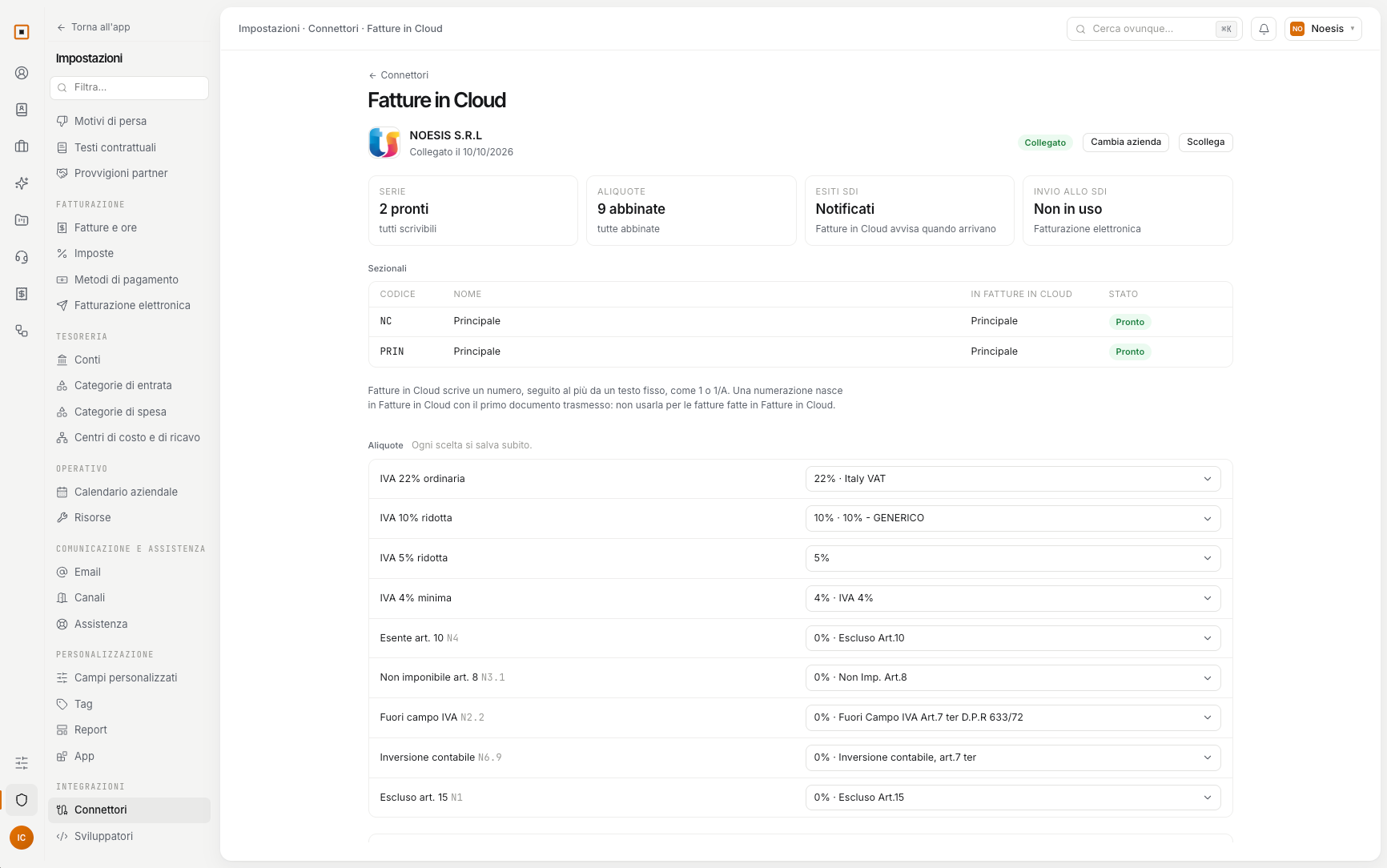
You match your series and rates once to the numerations and VAT types of Fatture in Cloud. Hakubase proposes the matches and tells you what is missing.
You import the directory you already have into Hakubase, with a preview before confirming. And you decide whether invoiced clients are written to Fatture in Cloud too.
Invoices and credit notes from past years come into Hakubase with numbers, lines and payments, and count in each client’s revenue.
Expenses and supplier credit notes registered in Fatture in Cloud arrive in Hakubase and are read again every night, ready to attribute to clients and projects.
In Settings → Connectors choose Fatture in Cloud and give consent from your account.
Four boxes tell you what is missing before you can transmit.
At first Hakubase only checks: it creates the document, verifies it and removes it. Nothing reaches SDI until you turn real sending on.
Fatture in Cloud transmits the document with the number it already has. If you keep making some invoices directly in Fatture in Cloud, keep them on a different numeration.
Fatture in Cloud is a trademark of its owner and identifies the service Hakubase connects to; its use does not imply any endorsement.
You can open a trial workspace on your own, or write to us and we will show it to you starting from the problem you have.
No newsletter. We only write to set up the demo.